Google Play Store PC
Google Play is Google's digital distribution platform. On Windows, Google offers Play content through the browser and Google Play Games on PC.
52.9 MB
1.1 · Laptop Showcase · Page updated
Dead Pixel Buddy is a tiny free Windows tool that fills the screen with solid colours so you can spot dead or stuck pixels on a monitor or laptop display.
Average 0.0 · ratings: 0
Thank you! Your rating is saved; you can change it. Could not save the rating. Please try again later. Too many ratings from your network today. Please try again tomorrow. The average appears after 5 ratings.
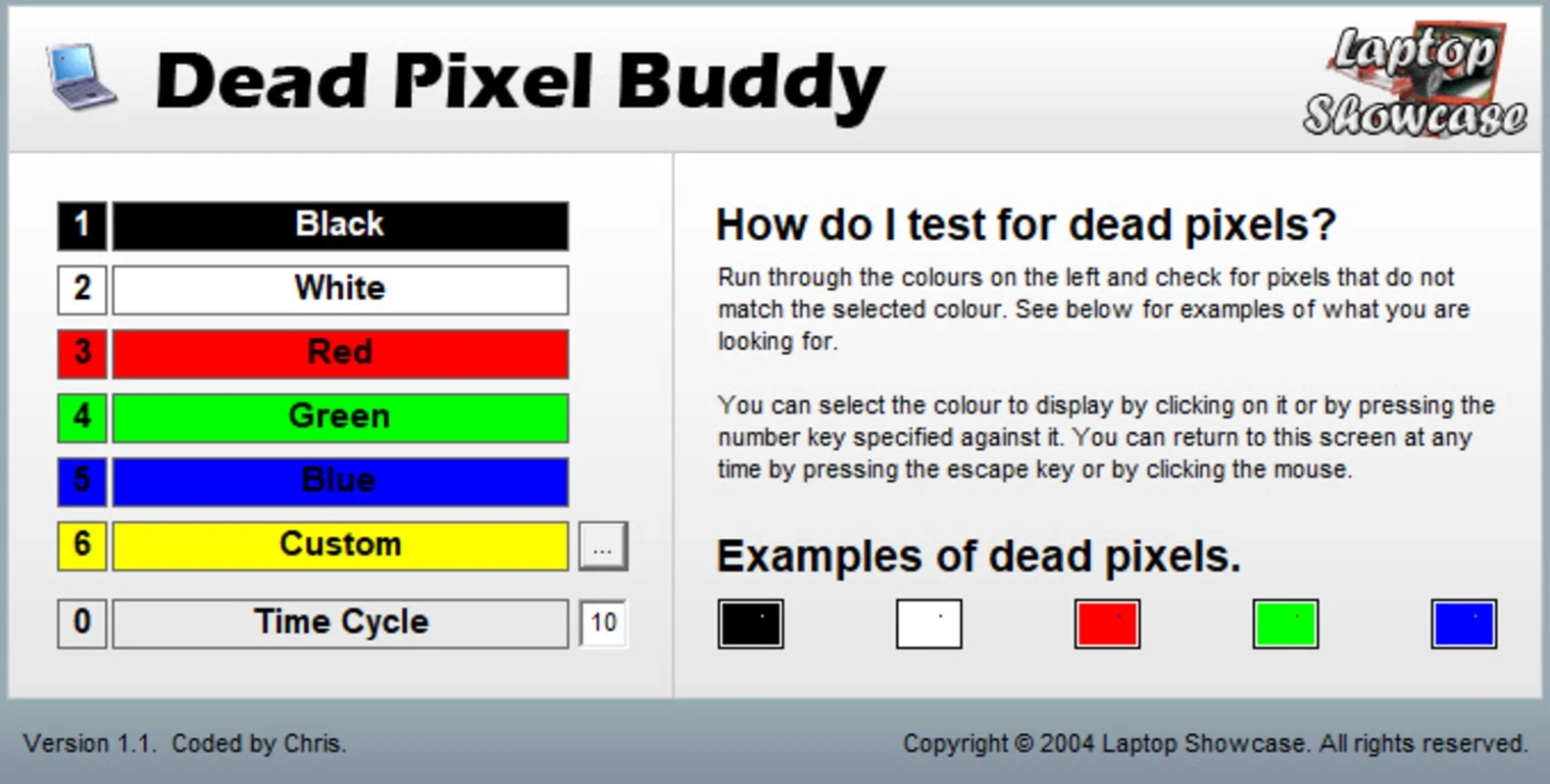



Dead Pixel Buddy 1.1 is a tiny free Windows tool from Laptop Showcase for checking a screen for defective pixels. It fills the display with solid colours one after another, which makes dead or stuck pixels easy to see. At just 26.04 KB according to catalogue data, it runs instantly, and you can download Dead Pixel Buddy for Windows to test a new monitor or a used laptop.
Each pixel on an LCD or OLED screen is made of red, green and blue parts. A dead pixel stays dark whatever is shown, and is most visible on a white or bright background. A stuck pixel stays lit in one colour, usually red, green or blue, and stands out on dark or contrasting backgrounds. Both are small hardware faults, and whether they are covered by a warranty depends on the manufacturer's pixel policy.
For a new device, check the seller's return period and the manufacturer's pixel policy, then take a photo of the fault on a solid colour as evidence. Stuck pixels sometimes recover after running flashing colour videos for a while or after gentle pressure through a soft cloth; dead pixels usually do not. Be careful with pressure on laptops and never press hard.
The tool only displays colours and makes no changes to your system. There is no official website in our data, so download it from a source you trust and scan it with your antivirus. It is small enough that any file much larger than expected should make you suspicious.
It works on laptop displays and external monitors. On multi-monitor setups, move the window to the screen you want to test. The same method also works on TVs connected to the PC.
| Item | Details |
|---|---|
| Version | 1.1 |
| Developer | Laptop Showcase |
| Platform | Windows |
| Licence | free |
To check other parts of a PC, our listings include CPU-Z for processor and memory details and CrystalDiskInfo for drive health.
Google Play is Google's digital distribution platform. On Windows, Google offers Play content through the browser and Google Play Games on PC.
Media Creation Tool is a free Microsoft utility that downloads Windows and turns it into a bootable USB flash drive or an ISO file.

LDPlayer is an Android emulator for Windows that runs mobile apps and games on a computer.

BlueStacks is an Android emulator for Windows that lets you run Android apps and games on your PC.
Rufus is a free Windows utility that turns a USB stick into a bootable installer. The current version is 4.15.

PC App Store is a free software store for Windows from Baidu for finding, installing and updating PC programs. This page covers version 5.0.1.8682.

Uptodown App Store for Windows is the desktop client of Uptodown, a marketplace for desktop software and mobile apps. This page covers version 1.0.3.

NoxPlayer is a free Android emulator from Bignox for Windows and macOS that runs mobile games and apps on a computer with keyboard and mouse control.